A few weeks ago I found myself in a conversation about cloning the settings of a Microsoft 365 tenant. The context was straightforward: a client acquisition, a new subsidiary that needed to match the parent company’s baseline configuration (including Conditional Access policies, Teams meeting policies, Exchange transport rules and Intune compliance policies). The usual list.
The conversation quickly turned to M365DSC, as it always does in these situations, and then to a broader question: why does Microsoft not have a native answer to this? Why is configuration-as-code for a Microsoft 365 tenant still a community-maintained PowerShell module running on a Windows VM somewhere?
That question prompted me to dig deeper than I normally would. What I found was that Microsoft had in fact shipped an answer quietly, in preview, at the end of January 2026. This article is the result of that research.
The Background
For years, the answer to “how do I prevent configuration drift in my Microsoft 365 tenant?” was M365DSC ( https://microsoft365dsc.com/ )
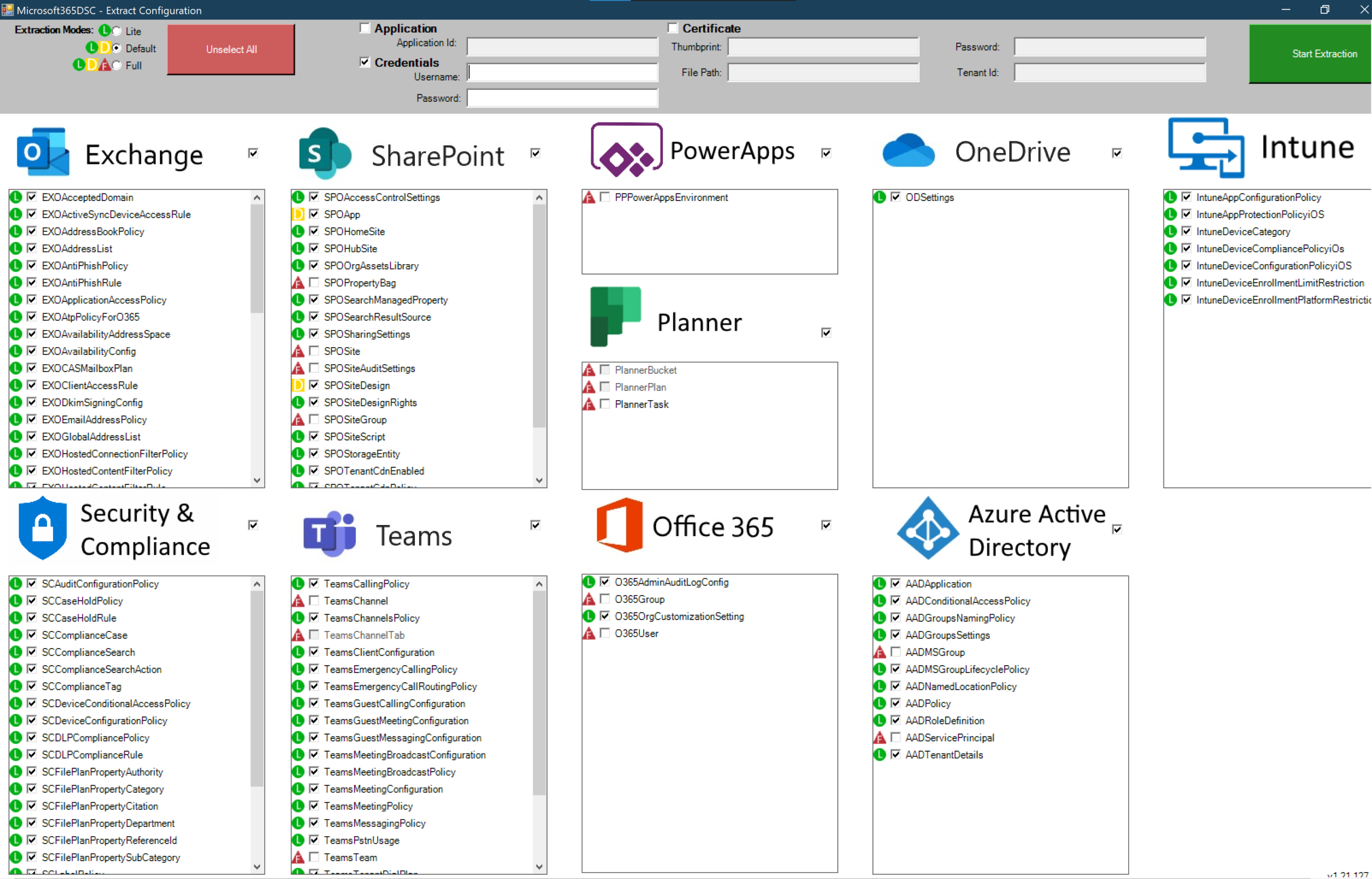
A PowerShell-based, community-led open-source project, built on top of Windows PowerShell Desired State Configuration, maintained largely through the effort of people who had better things to do with their weekends. It worked. It genuinely worked. But it came with a learning curve, a dependency on Local Configuration Manager, required scheduled execution infrastructure, and had no official Microsoft support when something broke between module versions.
The use cases it addressed were real and recurring: keeping production tenants honest after an admin made a manual portal change, cloning configuration across environments, baselining tenants before a migration, and giving MSPs a way to enforce a standard across dozens of customer tenants. The tool existed because the platform provided no native answer to any of those problems.
Admins have relied on scripts, tribal knowledge, and community-led solutions like M365DSC to manage policy sprawl for years, and while M365DSC was a groundbreaking open-source effort, it often faced a steep learning curve and lacked official Microsoft support.
That changed on 27 January 2026.
What Microsoft Released
Microsoft’s Unified Tenant Configuration Management (UTCM) is a new set of Graph APIs (in public preview since January 27, 2026) that allows administrators to manage Microsoft 365 tenant configuration as code, with built-in snapshot and drift monitoring capabilities.
https://learn.microsoft.com/en-us/graph/unified-tenant-configuration-management-concept-overview
It is exposed through the Microsoft Graph beta endpoint, under /beta/admin/configurationManagement/.
UTCM is the official successor to the community-developed Microsoft 365 DSC solution and offers tools for tenant configuration that are officially supported by Microsoft. This is acknowledged on the M365DSC homepage itself. Nik Charlebois, the original engineer behind M365DSC and now a Principal Program Manager at Microsoft, is leading the TCM effort.
Supported Workloads
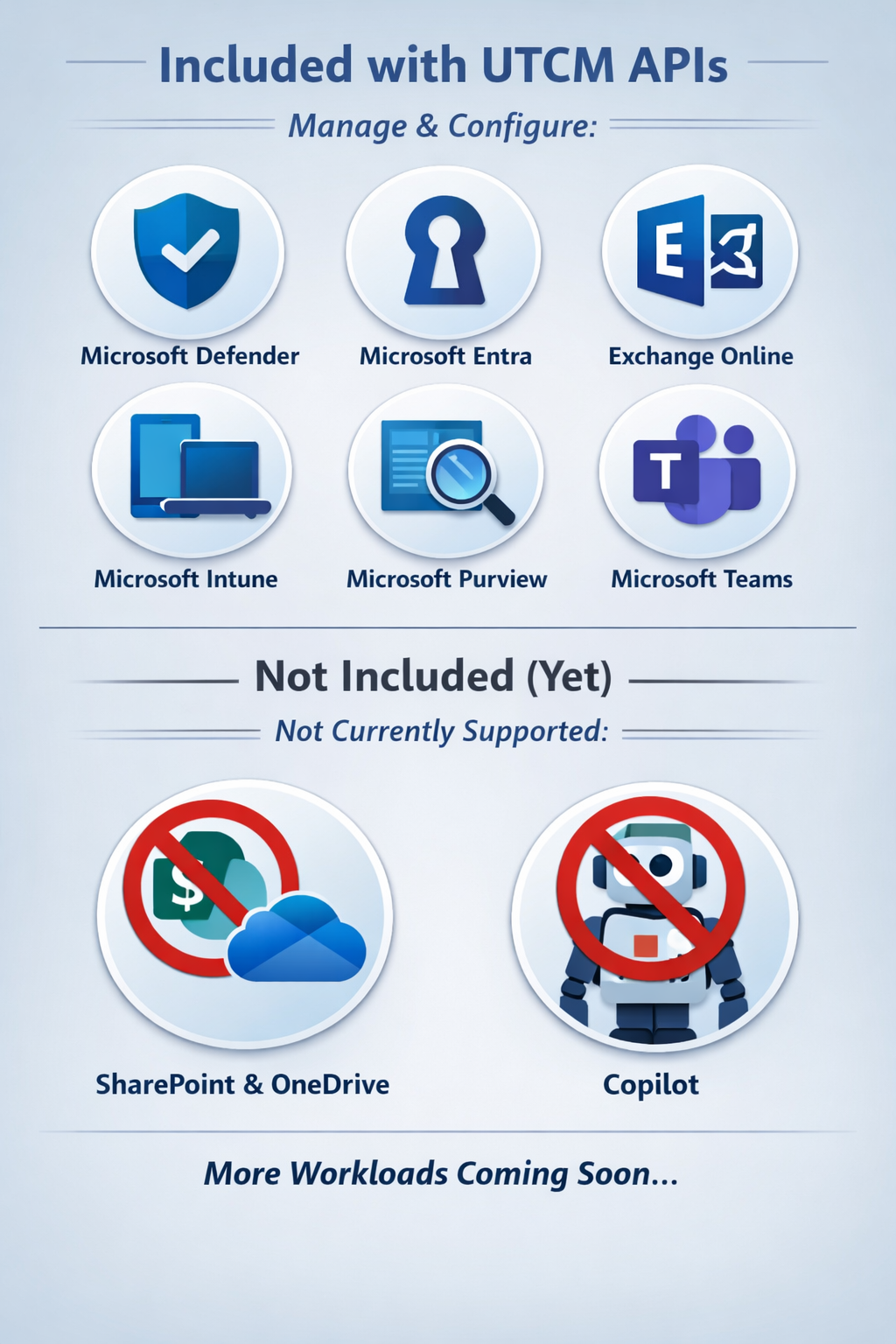
The UTCM APIs allow administrators to control and manage configuration settings across a single workload or multiple workloads, covering Microsoft Defender, Microsoft Entra, Microsoft Exchange Online, Microsoft Intune, Microsoft Purview, and Microsoft Teams.
Notable absence: SharePoint Online and OneDrive are not yet included. More workloads are expected to come in the future, though SharePoint Online/OneDrive and Copilot are notably missing.
The Real-World Scenarios This Solves
Before getting into the mechanics, it is worth being explicit about what problems TCM is actually designed to address — because the value only makes sense against the specific pain.
Drift detection is the primary scenario. Someone with sufficient permissions makes a manual change in the admin portal like disable a Conditional Access policy, adjust a Teams meeting policy, modify an Exchange transport rule. In a busy tenant with multiple admins, that change may not be visible until something breaks. TCM detects the deviation against a declared baseline and surfaces it.
Environment consistency is the second major case. Test, staging, and production tenants accumulate differences over time. Policies get updated in production and never replicated. A configuration applied months ago in dev was never ported across. TCM gives you a structured mechanism to compare environments against a shared baseline and identify exactly where they have diverged.
Baselining and compliance auditing is closely related. Taking a snapshot of a tenant’s configuration at a point in time, storing it, and having a versioned record of what it looked like before a change was made. This matters for compliance reviews and post-incident investigation. There is an important caveat here around retention that I will cover below.
Tenant cloning (which is what started this whole investigation) means exporting configuration from one tenant and applying it to another. Relevant for acquisitions, new subsidiaries, and MSPs managing standardised environments. Currently TCM provides the snapshot extraction side natively; the write path for deploying that configuration to a target tenant is not yet available.
Multi-tenant management at scale is where the MSP angle comes in. One JSON configuration template, monitored across dozens of tenants, with structured drift reporting per tenant. This is probably the strongest commercial use case once TCM matures.
How It Actually Works
The API has two core capabilities: Snapshots and Monitors.
Snapshots are how you establish a baseline. The snapshot APIs in TCM allow administrators to extract the current tenant configuration settings, providing a baseline that represents the desired tenant configuration and serves as the foundation for periodic tenant monitoring.
You initiate a snapshot by posting an asynchronous job to the API, specifying which resource types you want to capture. The result is a JSON configuration template. For example, to capture Entra Conditional Access Policies, Exchange Transport Rules, and Teams Meeting Policies, you POST a job, wait for it to complete, then retrieve the JSON. That JSON becomes your declared desired state.
Monitors are what continuously compare your live tenant against that baseline. When a monitor executes, it impersonates the UTCM-specified service principal and performs read-only operations against the tenant, reporting any drifts detected.
There are important details to note about how monitors operate in the current preview:
- Each monitor runs at a fixed interval of six hours and cannot be configured to run at any other frequency.
- You can create up to 30 configurationMonitor objects per tenant.
- An administrator can monitor up to 800 configuration resources per day per tenant, across all monitors.
- During the public preview, the configuration mode is enforced to MonitorOnly — the monitors will never attempt to change any configuration settings, only report drifts.
Auto-remediation is not available yet. It is planned for a future release. This means drift detection and alerting are fully addressable today, but automatic correction (and therefore full desired-state enforcement) is not.
What a Drift Detection Result Looks Like
When a monitor detects drift, the response from GET /beta/admin/configurationManagement/configurationDrifts is explicit and structured. For example, if a Conditional Access policy defined as "Ensure": "Present" in the template has been deleted from the tenant, the response will show:
{
  "resourceType": "microsoft.entra.conditionalaccesspolicy",
  "resourceInstanceIdentifier": {
    "DisplayName": "Multifactor authentication for partners"
  },
  "driftedProperties": [
    {
      "propertyName": "Ensure",
      "currentValue": "Absent",
      "desiredValue": "Present"
    }
  ]
}
This is clean, parseable output. You can build alerting, reporting, or remediation pipelines on top of it without reverse-engineering anything.
Authentication and Permissions
There are two distinct authentication layers when working with TCM, and conflating them causes confusion.
The first is your app or session authenticating to Microsoft Graph to manage monitors and trigger snapshot jobs. This requires either the ConfigurationMonitoring.Read.All or ConfigurationMonitoring.ReadWrite.All Microsoft Graph permission and notably, both the Monitors and Snapshots APIs use the same permission set, even though the naming suggests monitoring only. For interactive delegated sessions, a built-in privileged Entra role is also required.
This brings up an important limitation: the documentation indicates that any privileged role is required for interactive delegated access, pointing to the page listing Entra built-in roles. Custom Entra ID roles are not supported. If your organisation uses custom roles for delegation, those will not work here: you need a built-in privileged role assigned directly.
The second authentication layer is the UTCM service principal itself, which is the identity the monitors impersonate when they execute against your tenant’s workloads. This service principal needs its own workload-level permissions — Graph app roles and, for non-Entra workloads, Entra built-in roles such as Security Reader or Teams Reader assigned directly to it.
Nik Charlebois has published a community PowerShell module, TCM.Utility, which accepts a configuration template and outputs the exact permissions and roles required:
Test-TCMConfigurationTemplate -Path "C:\temp\ConfigTemplate.json"
Apply least-privilege carefully. The UTCM service principal is a persistent identity running background jobs against your tenant every six hours. Scope its permissions to exactly what each monitor needs.
Data Retention: Plan Around This Early
This is the area most likely to catch you out if you are thinking about TCM for compliance auditing or post-incident investigation.
There are important retention limits to understand:
- Snapshots are retained for a maximum of seven days, after which they are automatically deleted. UTCM is not intended for long-term storage of configurations — a snapshot should be exported for longer storage if required.
- Drift records are deleted 30 days after they are resolved.
- You can extract a maximum of 20,000 resources per tenant per month across all snapshots — this is a cumulative limit.
The practical implication: if you are using TCM for compliance auditing and need month-by-month historical baselines, you need to export snapshot JSON to your own storage (a Git repository, a Storage Account, wherever) before the seven-day window closes. TCM does not archive for you. Treating it as a long-term configuration record without that export step will leave gaps.
The Shift Away from PowerShell DSC Syntax
One of the more significant changes architecturally is that TCM uses JSON configuration templates rather than PowerShell DSC .ps1 syntax. This removes the dependency on DSC compilation, the Local Configuration Manager, and the Windows host that M365DSC traditionally required.
TCM removes the need for multiple Local Configuration Manager instances, but organisations may lose the deep customisation that DSC scripts enabled. Teams must assess which of their configurations fit the JSON declarative model and which require continued use of script-based automation.
For organisations already invested in M365DSC, Microsoft has published a conversion utility — available at github.com/Microsoft/M365DSC-to-TCM — that converts simple, fully declarative M365DSC configurations into TCM JSON templates, invoked via ConvertFrom-M365DSCToTCM -Path C:\dsc\DSCConfig.ps1. Configurations that contain embedded PowerShell logic — conditionals, loops, composite resources — are not supported by the converter and will require manual rework.
What TCM Cannot Do Yet and Where M365DSC Still Wins
TCM in preview handles drift detection, environment baselining, snapshot extraction, and compliance reporting well. These are read-only, monitoring-oriented scenarios.
What it cannot yet do:
- Auto-remediation:detecting a drift and correcting it automatically. Still requires M365DSC or custom scripting.
- Tenant cloning / full configuration deployment: applying a configuration template to a new or target tenant. TCM has no write path in preview.
- Post-incident recovery: restoring a known-good configuration state after mass accidental deletion. Again, requires the write path.
- SharePoint Online / OneDrive: not covered.
For MSPs running M365DSC pipelines against multiple tenants with enforcement enabled, there is no compelling reason to migrate yet. If you’re heavily invested in M365DSC, there is no reason to migrate to TCM quite yet, given it is in preview and missing auto-remediation. But if you are just starting to look at desired state management, it is worth trying TCM first to see if it meets your needs.
Conclusion
What started as a question about tenant cloning turned into a broader realisation: Microsoft has quietly shipped the foundation of something that, once the write path and auto-remediation arrive, will make M365DSC largely redundant for most organisations.
The current preview is limited in deliberate ways (read-only monitoring, fixed cadence, no SharePoint coverage, short snapshot retention, no custom role support). Those are real constraints. But the underlying model is sound and the direction is clear.
If you manage multiple Microsoft 365 tenants, or configuration drift is something you currently track manually or through scheduled M365DSC scripts, stand up a TCM monitor in a non-production tenant now. Get familiar with the JSON template structure and build your snapshot export pipeline before this reaches general availability.
UTCM will eventually replace M365DSC entirely, particularly once configuration deployment and remediation features become available. The sooner you understand the model, the less catching up you will have to do.
This is something to keep in mind when planning tenant governance work for the rest of 2026.