Microsoft announced the general availability of the First Sign-In Restore experience on 24 February 2026, an update to Windows Backup for Organisations ( https://techcommunity.microsoft.com/blog/windows-itpro-blog/windows-first-sign-in-restore-experience-now-available/4495551 ) . Users starting with a new or rebuilt Windows 11 device can now restore their previous Windows environment at first login (even if they missed the option during initial device setup).
What Windows Backup for Organisations Is
Windows Backup for Organisations is a cloud-based settings backup and restore feature managed through Intune or Group Policy. When enabled, it makes a backup of Windows settings, user preferences, and the list of installed Microsoft Store apps to the organisation’s tenant data store.
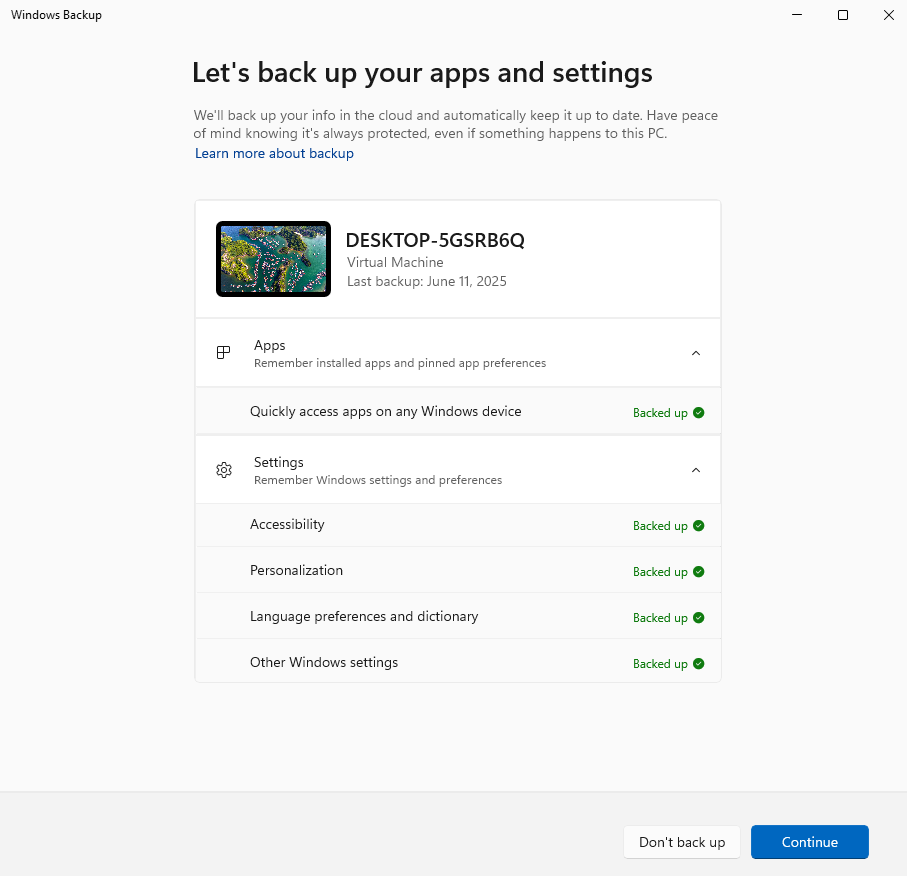
The backup runs automatically every eight days, and users can also trigger a manual backup at any time through the Windows Backup app in Settings.
- This is not a full backup solution. Files and documents are out of scope, that is covered by OneDrive with Known Folder Move.
- Win32 and line-of-business applications are not included.
- The backup data is stored in the Exchange Online cloud within the organisation’s tenant region.
Backup for Organisations is used for Windows settings: accessibility preferences, language and regional configuration, personalization, Wi-Fi credentials (if policy allows), and the Microsoft Store app list.
If you are familiar with Enterprise State Roaming, this covers similar ground but with broader scope, Intune policy management, and an explicit restore experience during device setup.
What Changed in February 2026
Until this update, users could only restore their environment during during the Out-of-Box Experience (OOBE), and only on Microsoft Entra joined devices. Hybrid joined devices were not supported, which limited the feature’s usefulness in environments that have not yet completed a full Entra Join migration.
The First Sign-In Restore changes both of those constraints.
The restore prompt now appears at the user’s first interactive login if it was not completed during OOBE (whether because the user skipped it, or because a technical issue prevented it from appearing).
This also closes a gap in Autopilot deployments where the OOBE window is brief and easy to miss. Instead of starting from scratch and manually reconfiguring their environment, users are presented with the option to restore their previous settings at the moment they first sign in.
More significantly, this first sign-in path now supports hybrid joined devices.
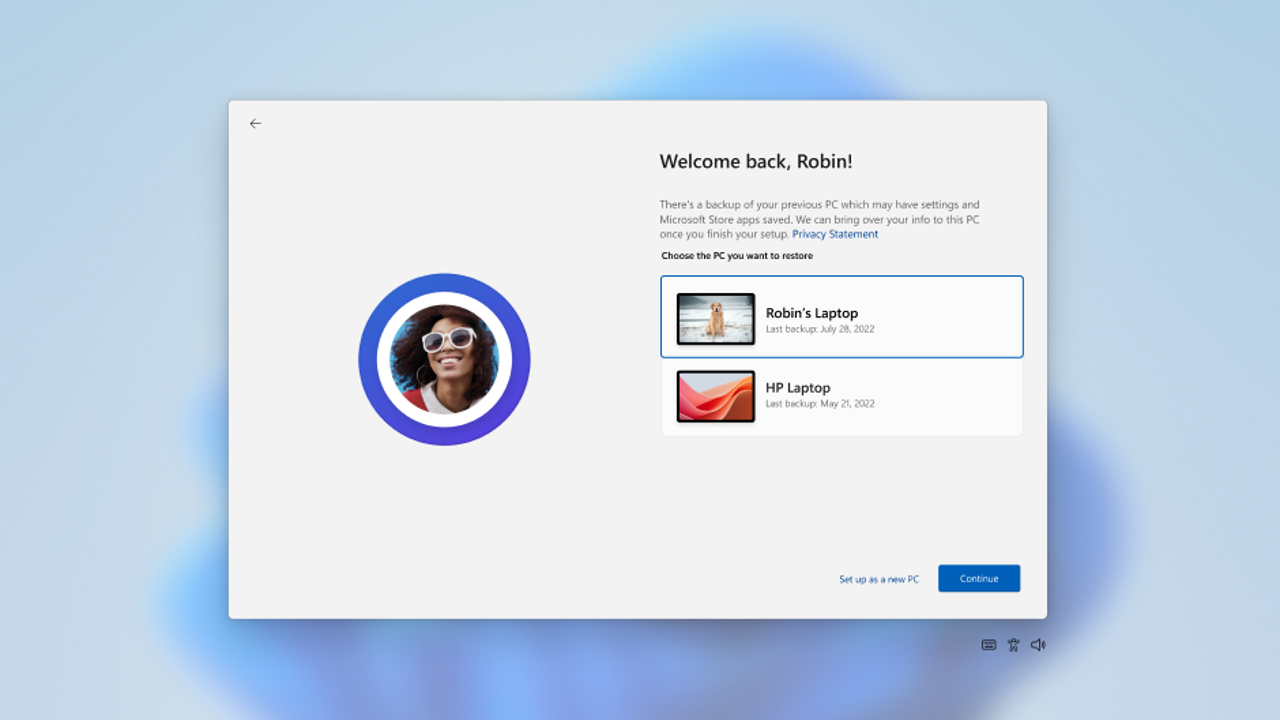
Note: the OOBE restore experience still requires a Microsoft Entra joined device. The hybrid support is specifically tied to the first sign-in path. The update also extends support to multi-user device setups and Windows 365 Cloud PCs.
Note: if a user deliberately chose to skip the restore during OOBE, the first sign-in restore will not appear. The feature respects explicit user intent and only activates for users who missed the option rather than declined it.
Licensing and Cost
There is no additional licensing cost for Windows Backup for Organisations. The feature is included as part of any standard Intune licence, which in turn is included in Microsoft 365 Business Premium, E3, and E5.
As said before, the backup data is stored in the Exchange Online cloud within the organisation’s tenant region. There is no separate storage allocation or quota to manage.
The only permission requirement worth flagging is for the restore configuration. Enabling the restore setting in Intune requires the Intune Service Administrator or Global Administrator role. The standard Intune administrator role is not sufficient for that specific tenant-wide toggle.
Prerequisites Summary
For Windows Backup for Organisations to work:
Microsoft Entra joined or Hybrid joined devices
Windows 10 (22H2, build 19044.6216 or later) or Windows 11
Intune policy with Enable Windows Backup enabled via Settings Catalog
For the OOBE restore to work:
Microsoft Entra joined devices only
Windows 11 (22H2 or later) with the August 2025 cumulative update or later
For the First Sign-In Restore (new in February 2026):
Microsoft Entra joined or Hybrid joined devices
Windows 11 with the February 24, 2026 Windows update or later
The same Microsoft Entra account used on the original device
Conclusion
The First Sign-In Restore reaching GA removes a gaps in the backups. The OOBE window during Autopilot provisioning is not always the best moment to present a restore prompt, and users who missed it previously had no fallback. That is no longer the case.
For organisations that have already configured the backup side but were waiting for broader restore support before committing to the feature, February 2026 is a reasonable point to revisit it. The configuration has not changed the same Intune policies that controlled backup and OOBE restore also govern the first sign-in experience.
I hope this is useful for anyone planning to enable the feature before rolling it out to end users.